AI Video Generator
Type what your video is about, pick a style and get a finished, animated video in under a minute — with titles, graphics, stock footage, music and sound effects. Then fine-tune every detail in the editor.
Create a video with AI See examplesFrom a sentence to a finished video
A promo for your shop, a teaser for your channel or a quick tips video for social media: describe it in your own words and the AI writes the scenes, chooses fonts and colours, draws icons and shapes, adds a moving background and times music and sound effects to the cuts. The result is not a flat render but a real project, so you can change any word, colour or timing before you export.
How to create a video with AI
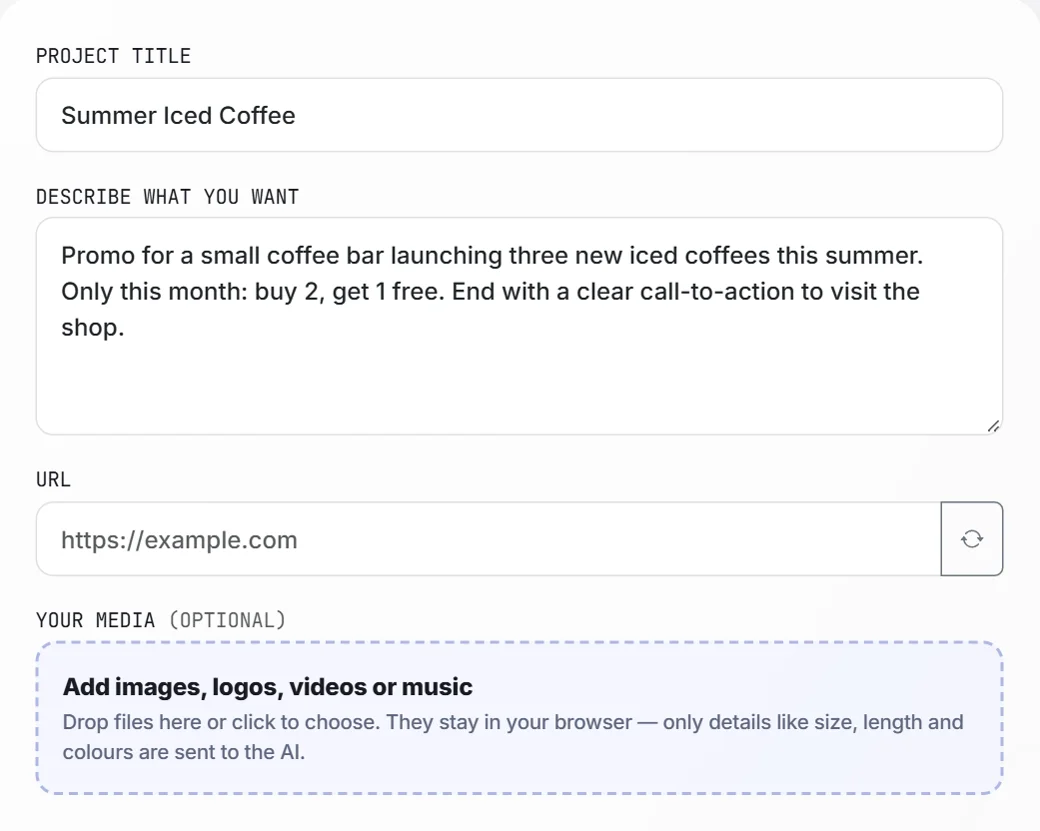
Describe your video
Give your project a title and describe what it should say. Add a website link or your own images, logo, clips or music if you like.
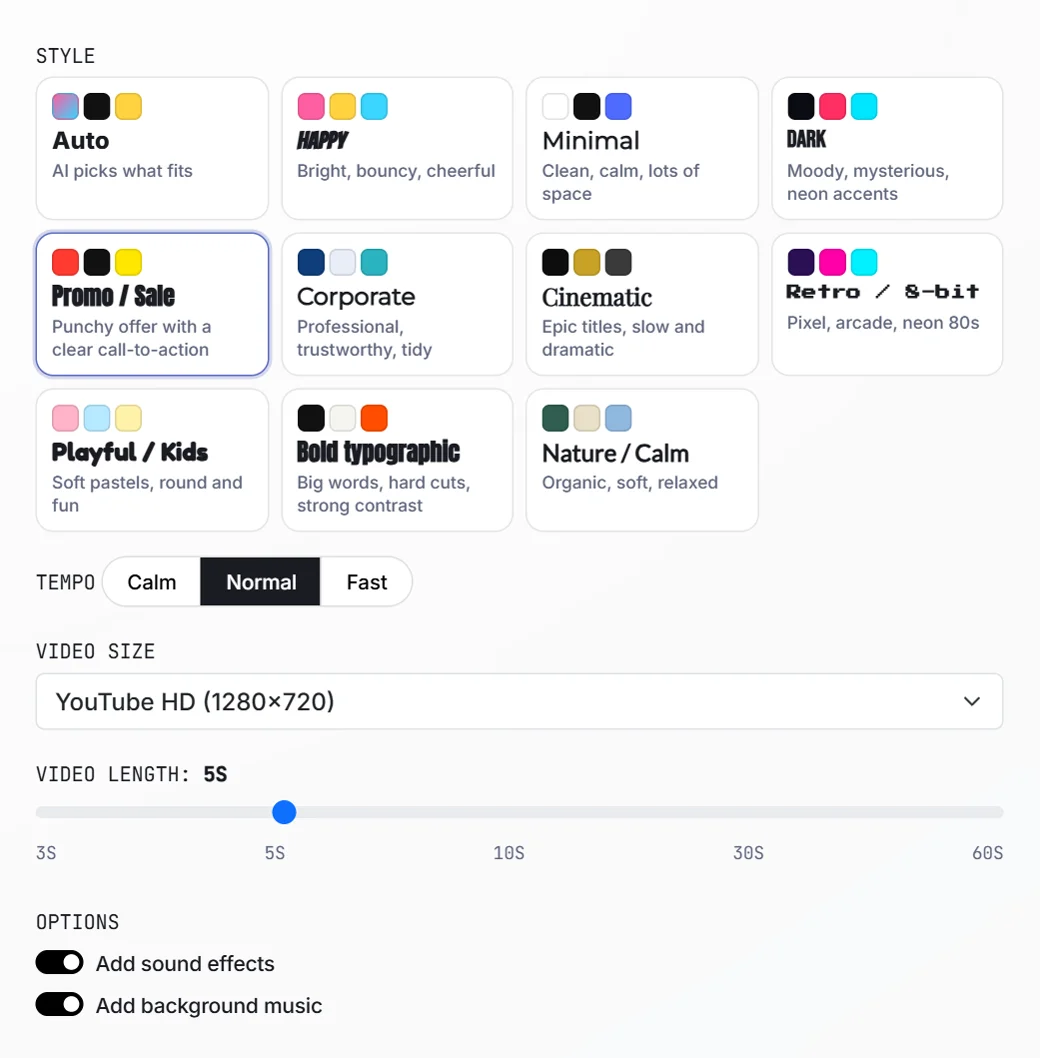
Choose a style and size
Pick one of 10 design styles (or let the AI choose), set the tempo, the video size and the length, and switch music and sound effects on or off.
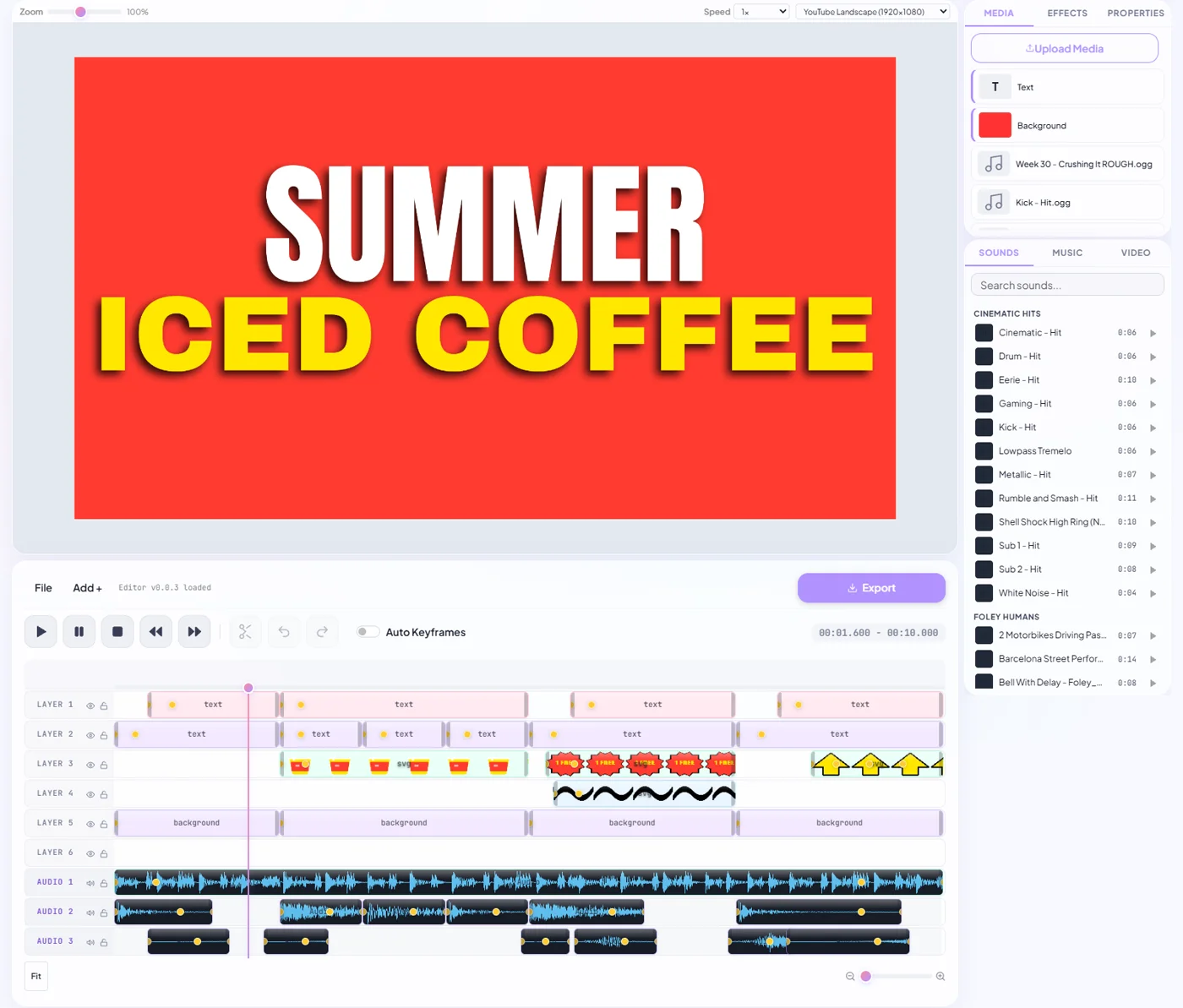
Edit and export
The video opens in the editor with every text, graphic and sound on its own layer. Adjust what you want and export an MP4.
10 styles, from punchy promo to calm and cinematic
Each style comes with its own fonts, colours, animation and pacing: Happy, Minimal, Dark, Promo / Sale, Corporate, Cinematic, Retro / 8-bit, Playful, Bold typographic and Nature / Calm. Combine it with a calm, normal or fast tempo — or choose Auto and let the AI decide what fits your topic.
Landscape, vertical or square
Generate videos for YouTube (1920×1080 or 1280×720), TikTok, Reels and Shorts (1080×1920), or Instagram (1080×1080 and 1080×1350). The AI places the text and graphics for the chosen size, so a vertical video is designed for vertical — not cropped from a wide one.
Animated titles, icons and moving backgrounds
Next to text and colour backgrounds, the AI draws its own vector graphics — icons, badges, arrows, shapes — and can place stock video clips such as clouds, ocean waves, smoke or abstract motion behind your message. Everything is animated with keyframes and stays sharp at any size.
Music and sound effects timed to the cuts
Switch on background music and the AI picks a track that matches your style from the built-in music library. With sound effects on, it adds whooshes, hits and pops at the moments the scenes change — chosen from more than a hundred effects.
Use your logo, photos and clips
Add images, a logo, video clips or your own music and the AI builds the video around them. Your files stay in your browser: only details such as size, length and main colours are sent to the AI, which uses them to choose matching colours and place your media in the right scenes.
What can you make with the AI video generator?
A few ideas to start with — describe any of them in one or two sentences.
Promo and sale videos
Announce a new product, a discount or an event with a bold hook and a clear call-to-action.
Social media tips
Short vertical videos with three or five tips, each with its own icon and title.
Channel intros and teasers
Cinematic openers for a vlog, podcast or series, with music and atmosphere.
Countdowns and announcements
Numbers, dates and launch moments with energetic animation and sound.
Website and product presentations
Paste a link and let the AI turn your page title, description and images into a short video.
Quotes and facts
Calm text videos with a moving background, ideal for quotes, facts and inspiration.
More than a single tool
Everything you need to finish your video, in one browser-based editor.
Background removal
Cut people out of any video with AI — no green screen, no masking by hand.
Text & titles
35 fonts, outlines, shadows and keyframe animation for every text layer.
Multi-layer timeline
Stack video, images, text, shapes and audio on separate layers.
Effects & colour
Blur, brightness, contrast, saturation, hue, crop and masks per clip.
Music & sound effects
100+ sound effects, 50+ music tracks and stock video clips built in, plus your own media.
Every format
Landscape, portrait (9:16), square and 4:5 — ready for each platform.