Free Online Tool

Remove Background from Video

Remove video backgrounds instantly with AI. No green screen, no complex software. Just upload, click, and get a clean result — all in your browser.

Remove Background Now See How It Works


★★★★★ 4.8 / 5 — Trusted by 50,000+ creators
[ Before / After Background Removal Preview ]

Used by professionals and creators

YouTube TikTok Instagram Twitch Vimeo

AI Video Background Removal — No Green Screen Needed

BehindVideo's AI engine uses advanced neural segmentation to separate subjects from backgrounds in real-time. Whether you're recording in your bedroom, office, or outdoors — our tool isolates you with pixel-perfect accuracy, handling hair, motion blur, and complex edges that other tools miss.

3 Easy Steps

How to Remove a Video Background

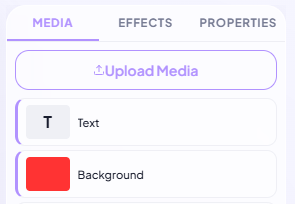
[ Upload Preview ]
1

Upload Your Video

Upload any video from your device. We support MP4, MOV, AVI, WebM, and more. You can also record directly in the browser.
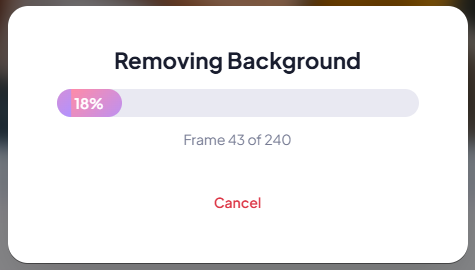
[ AI Processing Preview ]
2

AI Removes the Background

Our AI automatically detects the subject and removes the background frame by frame. No manual masking, no rotoscoping — it just works.
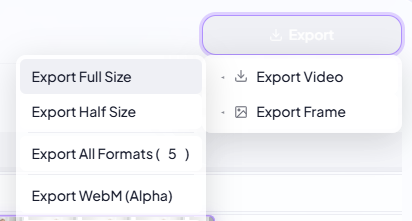
[ New Background Preview ]
3

Replace or Export

Add a new background — solid color, image, video, or keep it transparent. Export in HD or 4K and share anywhere.

[ AI Segmentation Demo ]
AI Powered

Neural Segmentation Technology

Our deep learning model is trained on millions of video frames. It understands depth, lighting, and motion — delivering clean edges on every frame. Hair strands, glasses, and fast movements are handled with precision that rivals professional VFX studios.

[ Virtual Background Examples ]
Versatile

Replace with Any Background

Swap your background for a professional studio, a city skyline, a tropical beach, or your brand's custom backdrop. Upload your own images or videos as backgrounds — or keep it transparent for compositing in other editors.

[ Multi-Platform Export ]
No Green Screen

Record Anywhere, Look Professional

Stop worrying about your filming environment. Record in your bedroom, kitchen, or co-working space — BehindVideo cleans up the background so you always look polished. Perfect for YouTube videos, Zoom recordings, online courses, and social media content.

User Stories

Creators Love BehindVideo

★★★★★

"BehindVideo has completely replaced my green screen setup. The AI handles hair and fine details better than any plugin I've used in After Effects."

User
Alex Rivera
Cinematographer
★★★★★

"I film in my apartment and no one can tell anymore. The background removal is flawless, even when I move around."

User
Priya Sharma
Online Educator
★★★★★

"We process hundreds of videos per week. BehindVideo's background removal is the fastest and most consistent tool we've tested."

User
James Whitfield
Video Production Lead

Frequently Asked Questions

BehindVideo uses a trained neural network that analyzes each video frame to identify human subjects (and objects) and separate them from the background. The AI runs directly in your browser using WebGL acceleration — your video never leaves your device.

No! That's the whole point. BehindVideo's AI works on any background — messy rooms, outdoor settings, offices — without requiring a green screen or chroma key setup.

No. All processing happens locally in your browser. Your video data stays on your device and is never uploaded to our servers — your privacy is fully protected.

BehindVideo supports all major video formats: MP4, MOV, AVI, WebM, MKV, and more. Export options include MP4 (H.264) and WebM for maximum compatibility.

Yes! You can export your video with a transparent background (WebM format), making it perfect for compositing in other video editors like Premiere Pro, Final Cut, or DaVinci Resolve.

Ready to Remove Your Video Background?

No green screen. No software. Just upload and go.

Open the Editor