Change Video Background
Replace your video background with any image, video, or solid color. AI-powered, no green screen required. Works instantly in your browser.
Change Your Background See How It WorksReplace Any Video Background in Seconds
Whether you filmed in a messy room, a busy street, or a boring office — BehindVideo lets you swap the background for anything you want. Our AI isolates the subject with pixel-perfect accuracy, then you drop in a new scene. Professional studio vibes from anywhere in the world.
How to Change a Video Background
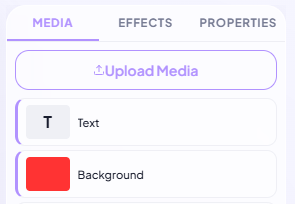
Upload Your Video
Upload any video file from your device. Supports MP4, MOV, AVI, WebM, and more. No file size limits on paid plans.
Choose a New Background
Pick a solid color, upload an image, or use a video as your new background. Our AI automatically removes the original background and composites the new one.
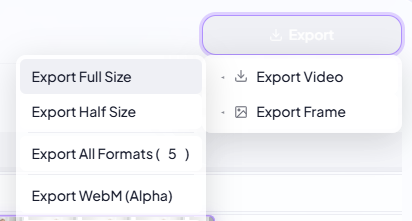
Export & Share
Preview the result, fine-tune if needed, and export in HD. Your new background looks completely natural.
Perfect for Remote Meetings & Presentations
Look professional in every video call recording, presentation, or online course. Replace your cluttered home office with a clean studio, branded backdrop, or any environment. Great for Zoom recordings, Loom videos, and webinar replays.
Unlimited Creative Possibilities
Transport yourself to a beach, a cityscape, outer space, or a fantasy world. Use still images for clean backgrounds or video loops for dynamic, cinematic scenes. Create content that stands out by placing yourself in impossible locations.
Clean Edges, Natural Lighting
Our AI doesn't just cut out the subject — it refines edges at the sub-pixel level, handling hair, glasses, and semi-transparent objects. The result blends naturally with your new background, matching lighting and color temperature for a seamless composite.